MCP 2026: The Complete Developer’s Guide to Model Context Protocol (With Code Examples)
> MCP is the open standard reshaping how AI agents connect to tools, data, and the real world. This deep-dive guide covers architecture, server/client implementation, security, and the 2026 roadmap — with production-ready code examples.
🎧 Listen — ~12 min
Audio summary not available yet
The Complete Guide to Model Context Protocol (MCP) in 2026: Building the USB-C for AI-Native Applications
I spent the first half of 2026 migrating AutoBlogging.Pro from a brittle mess of custom OpenAI function-call wrappers to a fully MCP-native architecture. The difference? Deployment time for new tool integrations dropped from three days to eleven minutes. If you're still hand-rolling API adapters for every LLM interaction, you're building on quicksand. MCP — the Model Context Protocol — isn't just another abstraction layer. It's the fundamental wiring that turns static language models into living, tool-wielding agents.
Released by Anthropic in late 2024 and now natively supported by OpenAI, Google, and a growing ecosystem of developer tools, MCP has become the de facto open standard for AI integration. In this guide, I'll walk you through exactly how it works, how to build production-grade servers and clients, and where the protocol is heading in late 2026.
What Is MCP and Why It Matters in 2026
The Model Context Protocol is an open specification that standardizes how AI applications (hosts) discover and interact with external data sources and tools (servers). Think of it as USB-C for AI — one universal connector that eliminates the need for bespoke integrations between every model and every API.
Before MCP, integrating an LLM with external tools meant:
- Writing custom function schemas for OpenAI's
functionsparameter - Re-implementing the same adapters for Claude, Gemini, and local models
- Maintaining fragile prompt-engineering hacks to coerce tool usage
- Vendor lock-in because switching models meant rewriting integration code
MCP solves this by defining a protocol layer rather than an API layer. Any host that speaks MCP can connect to any MCP server — regardless of whether the underlying model is GPT-5.5, Claude 4, Gemini 2.5, or a fine-tuned Llama 4 running on your own infrastructure.
By Q2 2026, the ecosystem has exploded. Community-built MCP servers exist for GitHub, Slack, PostgreSQL, Stripe, Figma, Docker, Kubernetes, and over 200 other tools. The protocol has moved from "interesting experiment" to infrastructure-critical for anyone building agentic systems.
The Architecture: Hosts, Clients, and Servers
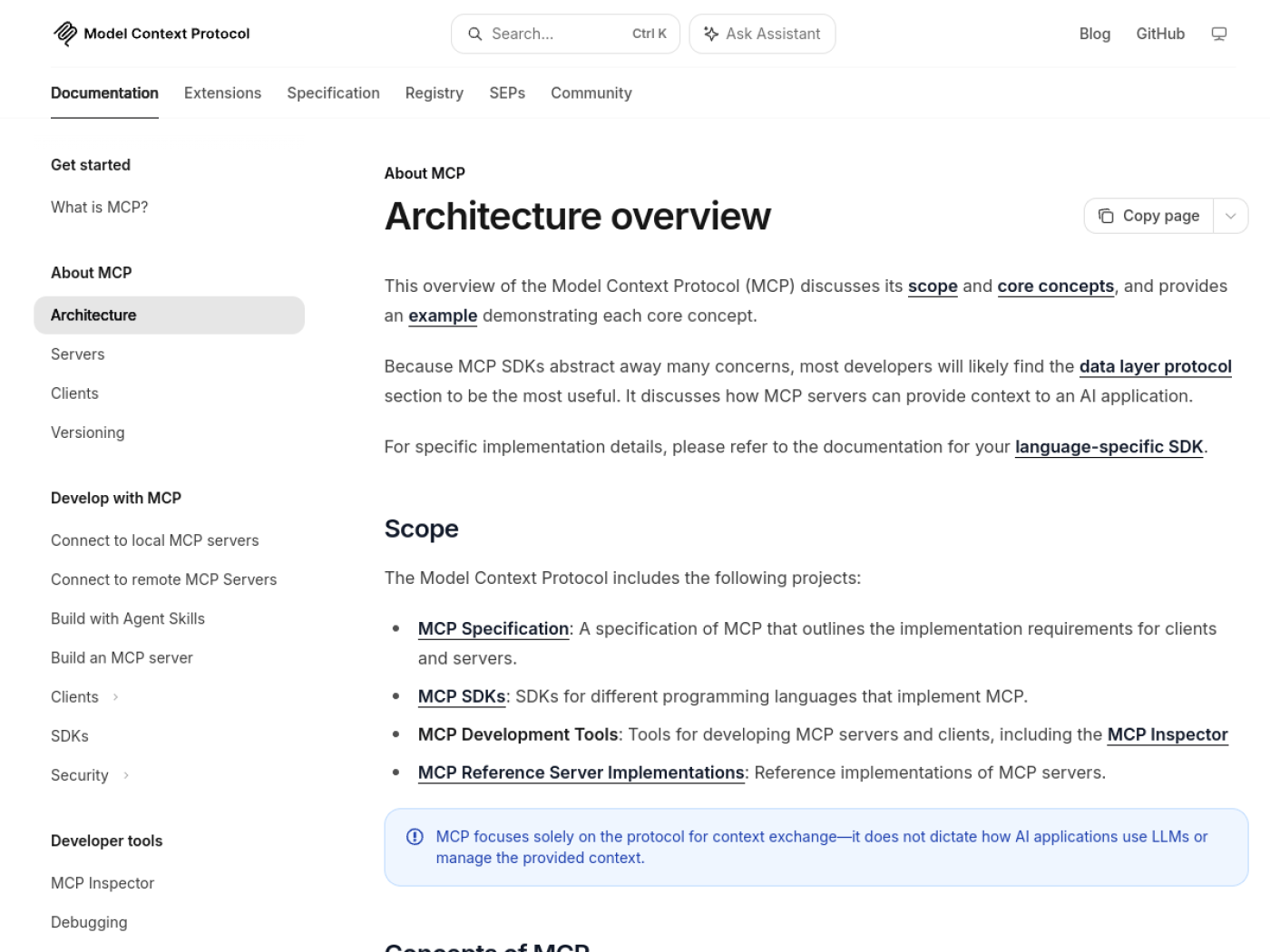
MCP uses a three-layer architecture that cleanly separates concerns:
| Layer | Role | Example |
|---|---|---|
| Host | The AI application that initiates connections and consumes capabilities | Claude Desktop, Cursor, VS Code Copilot, ChatGPT, custom agents |
| Client | Lives inside the host; manages protocol negotiation, message routing, and session lifecycle | ClientSession in the Python SDK, MCPClient in TypeScript |
| Server | Exposes capabilities — data (resources), actions (tools), and templates (prompts) | GitHub MCP server, PostgreSQL MCP server, custom internal APIs |
Communication happens over JSON-RPC 2.0, with two transport options:
stdio— Local subprocess communication. Perfect for desktop apps and development.- HTTP/SSE — Remote, scalable connections. Essential for cloud-deployed servers and microservice architectures.
This separation is powerful. A single host can maintain multiple client connections to different servers, giving the underlying LLM access to a unified tool surface. The LLM doesn't know (or care) whether a tool call hits a local SQLite database or a remote AWS Lambda — it just sees standardized MCP capabilities.
The Three Core Primitives: Resources, Tools, and Prompts
Every MCP server exposes capabilities through three primitives. Understanding the distinction is critical for clean architecture.
Resources (Read-Only Context)
Resources provide data snapshots that the LLM can use for context. They're read-only and typically include:
- File contents
- Database query results
- API response payloads
- Structured documents (JSON, Markdown, CSV)
Resources are the backbone of RAG-style workflows within MCP. Instead of stuffing documents into a prompt, you expose them as addressable resources the LLM can request on demand.
Tools (Executable Actions)
Tools are functions the LLM can invoke to perform side effects. This is where the magic happens:
- Querying a database
- Creating a GitHub issue
- Deploying to Vercel
- Sending a Slack message
- Running a Docker container
Tools have typed schemas (defined via JSON Schema), and the LLM receives a structured list of available tools with descriptions. When the model decides it needs a tool, it emits a tool-call request; the client executes it through the MCP server and returns the result.
Prompts (Reusable Templates)
Prompts are pre-defined task templates that servers can expose. They standardize common operations and reduce token waste. For example, a code-review server might expose a review_pull_request prompt that accepts a PR URL and returns a structured analysis template.
Building Your First MCP Server in TypeScript
Let's build a real MCP server that exposes a tool for checking website uptime. This is the same pattern I use for internal tooling at AutoBlogging.Pro.
Step 1: Scaffold the Server
1#!/usr/bin/env node
2import { McpServer } from "@modelcontextprotocol/sdk/server/mcp.js";
3import { StdioServerTransport } from "@modelcontextprotocol/sdk/server/stdio.js";
4import { z } from "zod";
5
6const server = new McpServer({
7  name: "uptime-monitor",
8  version: "1.0.0",
9});
Step 2: Define a Tool
1server.tool(
2  "check_uptime",
3  "Check the HTTP status and response time of any website",
4  {
5    url: z.string().url().describe("The website URL to monitor"),
6    timeout: z.number().min(1000).max(30000).optional().describe("Request timeout in ms"),
7  },
8  async ({ url, timeout = 5000 }) => {
9    const start = Date.now();
10    try {
11      const controller = new AbortController();
12      const timer = setTimeout(() => controller.abort(), timeout);
13      const response = await fetch(url, { signal: controller.signal });
14      clearTimeout(timer);
15      const elapsed = Date.now() - start;
16
17      return {
18        content: [
19          {
20            type: "text",
21            text: `Status: ${response.status} ${response.statusText}\nResponse time: ${elapsed}ms\nHeaders: ${JSON.stringify(Object.fromEntries(response.headers))}`,
22          },
23        ],
24      };
25    } catch (error) {
26      return {
27        content: [
28          {
29            type: "text",
30            text: `Failed to reach ${url}: ${error instanceof Error ? error.message : "Unknown error"}`,
31          },
32        ],
33        isError: true,
34      };
35    }
36  }
37);
Step 3: Connect the Transport
1async function main() {
2  const transport = new StdioServerTransport();
3  await server.connect(transport);
4  console.error("Uptime Monitor MCP server running on stdio");
5}
6
7main().catch(console.error);
Step 4: Package and Run
Add this to your package.json:
1{
2  "bin": {
3    "uptime-monitor": "./dist/index.js"
4  },
5  "scripts": {
6    "build": "tsc",
7    "start": "node dist/index.js"
8  }
9}
Install dependencies (@modelcontextprotocol/sdk, zod, typescript), build with npm run build, and your server is ready. Any MCP-compatible host can now discover and invoke the check_uptime tool without knowing a single implementation detail.
Building an MCP Client in Python
Servers are useless without clients to consume them. Here's a production-ready Python client that connects to an MCP server and routes user queries through Claude.
1import asyncio
2import os
3from contextlib import AsyncExitStack
4from typing import Optional
5
6from mcp import ClientSession, StdioServerParameters
7from mcp.client.stdio import stdio_client
8from anthropic import Anthropic
9from dotenv import load_dotenv
10
11load_dotenv()
12
13class MCPClient:
14    def __init__(self):
15        self.session: Optional[ClientSession] = None
16        self.exit_stack = AsyncExitStack()
17        self.anthropic = Anthropic(api_key=os.getenv("ANTHROPIC_API_KEY"))
18
19    async def connect_to_server(self, server_script_path: str):
20        """Connect to an MCP server via stdio transport."""
21        server_params = StdioServerParameters(
22            command="node",
23            args=[server_script_path],
24            env=None,
25        )
26        stdio_transport = await self.exit_stack.enter_async_context(
27            stdio_client(server_params)
28        )
29        self.stdio, self.write = stdio_transport
30        self.session = await self.exit_stack.enter_async_context(
31            ClientSession(self.stdio, self.write)
32        )
33        await self.session.initialize()
34
35        response = await self.session.list_tools()
36        tools = [tool.name for tool in response.tools]
37        print(f"Connected to server with tools: {tools}")
38        return tools
39
40    async def process_query(self, query: str) -> str:
41        """Send a query to Claude with MCP tool access."""
42        response = await self.session.list_tools()
43        available_tools = [
44            {
45                "name": tool.name,
46                "description": tool.description,
47                "input_schema": tool.inputSchema,
48            }
49            for tool in response.tools
50        ]
51
52        messages = [{"role": "user", "content": query}]
53
54        response = self.anthropic.messages.create(
55            model="claude-3-7-sonnet-20250219",
56            max_tokens=2048,
57            messages=messages,
58            tools=available_tools,
59        )
60
61        final_text = []
62        for content in response.content:
63            if content.type == "text":
64                final_text.append(content.text)
65            elif content.type == "tool_use":
66                tool_name = content.name
67                tool_args = content.input
68                result = await self.session.call_tool(tool_name, arguments=tool_args)
69                final_text.append(
70                    f"[Calling tool {tool_name} with args {tool_args}]\n"
71                )
72                final_text.append(f"Result: {result.content}")
73
74        return "\n".join(final_text)
75
76    async def cleanup(self):
77        await self.exit_stack.aclose()
78
79async def main():
80    client = MCPClient()
81    try:
82        await client.connect_to_server("./dist/index.js")
83        while True:
84            query = input("\nQuery: ").strip()
85            if query.lower() in ("exit", "quit"):
86                break
87            response = await client.process_query(query)
88            print(f"\n{response}")
89    finally:
90        await client.cleanup()
91
92if __name__ == "__main__":
93    asyncio.run(main())
This client pattern is the foundation of every agent I build. The LLM sees tools as native capabilities, and the protocol handles all the wiring.
MCP vs Function Calling: Why Standardization Wins
You might be wondering: "I already use OpenAI function calling. Why switch?"
| Feature | Native Function Calling | MCP |
|---|---|---|
| Portability | Tied to OpenAI's API | Works across OpenAI, Anthropic, Google, local models |
| Tool Discovery | Hardcoded in application | Dynamic capability negotiation at runtime |
| Transport | HTTP-only | stdio (local) + HTTP/SSE (remote) |
| Ecosystem | Every integration is bespoke | 200+ community servers, reusable across projects |
| Prompting | Model-specific formats | Standardized JSON-RPC, model-agnostic |
| Security | Application-managed | Server-level auth, OAuth 2.1, audit trails |
The critical difference is separation of concerns. Function calling couples your tool definitions to your LLM provider. MCP decouples them. Your PostgreSQL MCP server doesn't know or care whether the query comes from Claude, GPT-5.5, or a Mistral instance running in your basement.
The 2026 MCP Roadmap: What's Coming Next
The MCP steering committee published their 2026 roadmap in March, and three features will fundamentally change how we build agentic systems:
1. Stateless Transport (Google Proposal)
A stateless HTTP transport variant is in review. This means MCP servers can scale horizontally behind standard load balancers without maintaining persistent SSE connections — critical for high-throughput microservices.
2. The "Tasks" Primitive
Currently, all MCP interactions are synchronous request/response. The Tasks primitive introduces asynchronous, long-running operations. An AI agent will be able to dispatch a 20-minute data pipeline job and poll for completion — essential for persistent, always-on agents.
3. MCP Registry (The "App Store" for Agents)
A centralized discovery service is being built to act as an npm-style registry for MCP servers. Instead of manually configuring server paths, hosts will be able to search, install, and trust servers through a standardized package index. This is the missing piece for mainstream adoption.
4. Triggers and Native Streaming
Webhooks for MCP servers will allow proactive data pushes. A GitHub MCP server will be able to notify connected agents about new pull requests in real time, rather than requiring polling.
5. Skills Over MCP
Servers will soon be able to bundle domain-specific knowledge — not just tools, but embedded instructions on how to use them effectively. This closes the gap between "having a tool" and "knowing how to wield it."
Security, Governance, and Production Deployment
MCP is powerful, but with great power comes a expanded attack surface. Here's my production checklist:
Authentication
- Local servers: Rely on OS-level process isolation. stdio transport inherits the parent's privileges.
- Remote servers: Implement OAuth 2.1 (in preview for MCP 2026). Never accept unsigned tool invocations over HTTP.
- API keys: Store server credentials in environment variables, never in tool schemas or resource payloads.
Input Validation
Always validate tool inputs server-side using strict schemas. Zod (TypeScript) and Pydantic (Python) are your friends. Never trust an LLM to emit well-formed arguments — hallucinated parameter names are a real failure mode.
Sandboxing
Run untrusted MCP servers in containers or WASM sandboxes. The official MCP inspector is useful, but for third-party servers, assume zero trust until verified.
Audit Logging
Log every tool invocation with timestamps, arguments (sanitized for PII), and results. In 2026, compliance requirements for AI agent actions are tightening fast, and audit trails are non-negotiable for enterprise deployments.
Frequently Asked Questions
Q1: Is MCP only for Claude, or does it work with other LLMs? MCP is model-agnostic. OpenAI added native MCP support in early 2026, Google followed suit for Gemini, and multiple open-source projects (like Ollama and LM Studio) now speak MCP. It's becoming a true universal standard.
Q2: What's the difference between MCP and A2A (Agent-to-Agent Protocol)? MCP connects AI agents to tools and data sources. A2A connects agents to other agents. They are complementary — MCP gives an agent its hands, A2A lets agents collaborate in teams.
Q3: Can I build MCP servers in languages other than TypeScript and Python? Yes. Official SDKs exist for Java, Kotlin, C#, and PHP, and the community has built Rust and Go implementations. The protocol is language-agnostic because it speaks JSON-RPC.
Q4: How does MCP handle large data payloads? Resources support pagination, and the 2026 spec introduces streaming for incremental results. For massive datasets, expose database query tools rather than raw file resources, and let the LLM request exactly what it needs.
Q5: Is MCP production-ready for enterprise use? With the addition of OAuth 2.1, MCP Gateways, and formal audit support in the 2026 roadmap, MCP is crossing the enterprise chasm. Early adopters include Stripe, Vercel, and several Fortune 500 data platforms.
Q6: How do I debug an MCP server during development?
Use the official MCP Inspector (npx @modelcontextprotocol/inspector). It provides a UI for listing tools, testing invocations, and inspecting JSON-RPC traffic without involving an LLM.
Q7: Will MCP replace REST APIs? No. MCP is a protocol for AI tool access, not a general-purpose API standard. Your REST and GraphQL APIs still serve human clients and traditional services. MCP wraps those APIs to make them accessible to LLMs.
Conclusion: The Time to Go MCP-Native Is Now
In 2024, we were all prompt engineers. In 2025, we became RAG architects. In 2026, context engineers are the ones building the infrastructure that connects intelligence to action — and MCP is the substrate.
If you're building anything with LLMs that touches real data, real APIs, or real workflows, stop writing one-off integrations. Build an MCP server. The eleven minutes you spend standardizing a tool today will save you three days of refactoring when the next model drops next quarter.
At AutoBlogging.Pro, MCP-native architecture reduced our integration surface from 47 custom adapters to 6 MCP servers. The codebase got smaller, the system got more reliable, and our agents finally started acting like agents instead of overcomplicated chatbots.
Your next step: Pick one internal API or database that your LLM currently accesses through brittle custom code. Port it to an MCP server this week. You'll never go back.
Want to see how I built the AutoBlogging.Pro agent architecture? Check out my deep-dive on OpenClaw vs Hermes vs Spacebot: The Definitive AI Agent Framework Comparison for 2026.
Related Reading
- NSA Issues MCP Security Guidance: AI Engineers Must Act Now
- Multi-Model AI Agent Routing: The 2026 Engineering Playbook
- FinOps for AI Agents: Cost Architecture for Autonomous Systems at Scale
- Microsoft ❤️ OpenClaw: Why Big Tech is Betting on Open-Source AI Agents
- June 2026 AI Model Flood: GPT-5.6, Gemini 3.5 Pro & Claude 4.8
Tags: technical, tutorial, deep-dive
🚨 Breaking News: On June 12, 2026, the US government issued an export control directive forcing Anthropic to suspend all access to Claude Fable 5 and Mythos 5 just 3 days after launch. For the full story on the jailbreak that wasn't, the recall precedent, and what it means for the AI industry, read our analysis: US Government Shuts Down Anthropic Fable 5 & Mythos 5: The AI Model Recall That Could Freeze the Entire Industry.
Visual reference — source screenshot
Keep reading
Related reading
⚡ Daily AI Model Drop — Get Kimi K3 benchmarks before Twitter
Join 2,400+ AI engineers. 1 email/day, no spam, unsubscribe anytime